
Businesses today expect faster communication, real-time visibility, and seamless payment experiences. Traditional accounts receivable (AR) processes often rely heavily on emails, spreadsheets, and manual follow-ups, creating delays for both finance teams and customers.
This is where buyer dashboards are transforming the invoice-to-cash process by enabling customers to access invoices, disputes, payment updates, and communication workflows through a single self-service interface.
Table of Contents
What Is a Buyer Dashboard in Accounts Receivable?
A buyer dashboard is a centralized self-service interface that allows customers to manage invoices, payments, disputes, and communication with suppliers in one place.
Instead of relying on back-and-forth emails, buyers can access everything related to their outstanding balances through a single interface.
How Buyer Dashboards Work
Buyer dashboards typically integrate with ERP, invoicing, payment, and AR systems to provide real-time data and workflows.
The process generally works as follows:
Invoice Synchronization
Invoices, ledger statements, payment details, and customer balances are automatically synced from ERP systems.
Buyer Access
Customers securely log in to access receivables information relevant to their account.
Self-Service Actions
Buyers can:
- View invoices
- Download documents
- Raise disputes
- Share payment details
- Commit payment timelines
- Make payments directly
Real-Time Updates
All actions update automatically within AR workflows, improving transparency and reducing manual coordination.
Key Features of a Modern Buyer Dashboard
Invoice Visibility
Buyers can view all open and historical invoices in one place with due dates, balances, and status updates.
Ledger Statement Access
Customers can download account statements and ledger reports without requesting them manually from finance teams.
Multi-Invoice Actions
Modern dashboards support actions across one or multiple invoices simultaneously.
This significantly reduces operational friction for customers managing large invoice volumes.
Dispute Management
Buyers can raise disputes directly from the dashboard and attach supporting documents.
Payment Communication
Customers can share payment references, remittance advice, and transaction details directly through the platform.
Promise-to-Pay (PTP) Management
Buyers can commit expected payment dates for one or multiple invoices.
This improves collections visibility and forecasting accuracy.
Online Payments
Integrated payment capabilities allow buyers to pay invoices directly from the dashboard.
Benefits of Buyer Dashboards in AR
Faster Collections
Reducing communication delays helps accelerate invoice resolution and payments.
Improved Customer Experience
Customers gain transparency and self-service flexibility without depending on manual support.
Lower Dispute Resolution Time
Structured workflows help finance teams resolve issues faster.
Better Payment Visibility
Finance teams gain clearer insight into customer payment intentions and activity.
Reduced Manual Work
AR teams spend less time responding to invoice requests and payment follow-ups.
Common Challenges Without a Buyer Dashboard
Without centralized buyer access, finance teams often face:
- High email dependency
- Delayed payment communication
- Missing remittance details
- Manual dispute tracking
- Poor visibility into customer actions
- Increased collection delays
As invoice volumes grow, these manual workflows become difficult to scale.
How FinFloh’s Buyer Dashboard Works
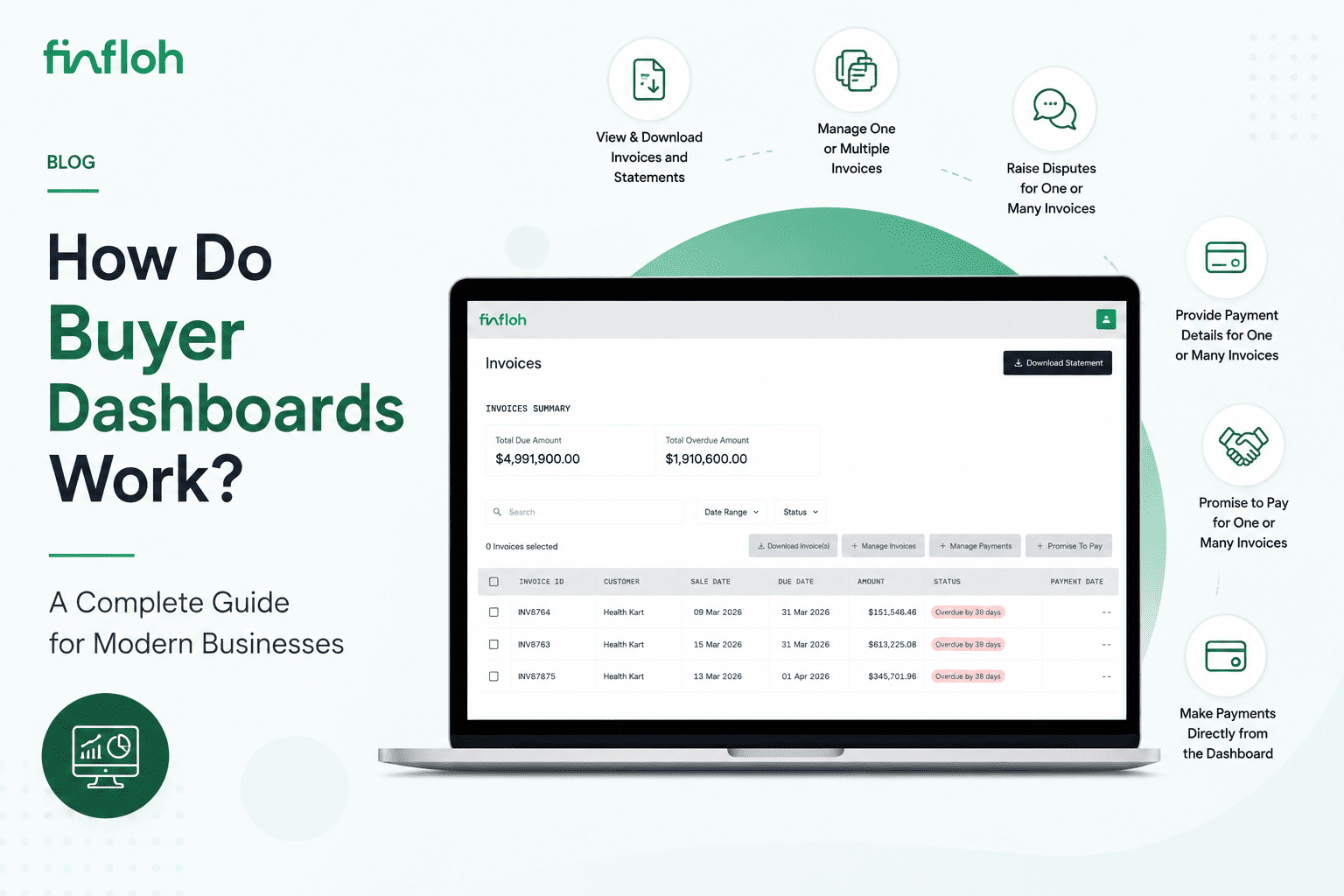
FinFloh provides a modern buyer dashboard that enables customers to manage invoices, payments, disputes, and communication through a single self-service interface.
View and Download Multiple Invoices
Buyers can access and download one or multiple invoices directly from the dashboard.
Access Ledger Statements
Customers can view and download ledger statements without requiring manual requests to finance teams.
Raise Disputes for Single or Multiple Invoices
Buyers can raise disputes for one invoice or multiple invoices simultaneously while attaching supporting documents and comments.
Share Payment Details
Customers can provide remittance advice and payment references for individual invoices or bulk payments.
Promise-to-Pay Across Multiple Invoices
Buyers can submit promise-to-pay commitments for one or many invoices directly from the dashboard.
Make Payments Directly From the Dashboard
Integrated payment capabilities allow buyers to pay outstanding invoices without leaving the platform.
Real-Time Visibility for Finance Teams
All buyer actions are synchronized instantly, improving collections visibility and reducing manual coordination.
To see how buyer dashboards accelerate buyer engagement during Accounts Receivable process, you can check out FinFloh A/R product page. You can also Book a Demo to see how it works.
FinFloh’s Buyer Dashboard View

Why Buyer Dashboards Matter in Modern AR
The future of accounts receivable is increasingly collaborative.
Finance teams no longer want customers to depend on email-based communication for every invoice request or payment update.
Buyer dashboards create a more transparent, scalable, and efficient experience for both finance teams and customers.
As businesses move toward digital AR operations, buyer self-service capabilities are becoming a key part of improving:
- Customer experience
- Collections efficiency
- Payment visibility
- Dispute resolution
- Cash flow predictability
Best Practices for Implementing a Buyer Dashboard
Integrate With ERP Systems
Ensure invoices and ledger balances sync automatically.
Support Bulk Actions
Customers managing high invoice volumes need multi-invoice workflows.
Enable Real-Time Updates
Payment and dispute information should reflect immediately.
Keep the Interface Simple
Buyer experiences should prioritize usability and speed.
Provide Secure Access Controls
Ensure customer-specific visibility and document protection.
Conclusion
Buyer dashboards are transforming the way businesses manage customer interactions in accounts receivable.
While the term “buyer portal” is still widely used, “buyer dashboard” better reflects the modern, interactive nature of today’s AR self-service platforms.
By enabling invoice visibility, dispute management, payment communication, and online payments in one place, buyer dashboards help businesses improve collections efficiency while delivering a better customer experience.
Modern platforms like FinFloh are helping finance teams move beyond static portals toward intelligent, collaborative AR experiences built for scale and real-time execution.
